Author name: Diksha

Google Ads

Google Analytics 4 (GA4) for Beginners: The Complete Step-by-Step Guide

Introduction Google Analytics 4 — commonly known as GA4 — is Google’s free, privacy-first website and app analytics platform. It replaced Universal Analytics in July 2023 and is now the standard tool for measuring how people find, interact with, and convert on your website. Whether you run a blog, an e-commerce store, or a local business website, understanding GA4 is one of the most valuable digital marketing skills you can develop. In this beginner’s guide, you will learn exactly what GA4 is, how to set it up step by step, which metrics actually matter, how to track events and conversions, and how to use the data to improve your SEO, content strategy, and business growth. What Is Google Analytics 4 (GA4)? Google Analytics 4 is an event-based analytics platform that tracks user interactions across websites and mobile apps, giving businesses a unified, privacy-compliant view of how customers engage throughout their journey. Unlike its predecessor, Universal Analytics, which tracked sessions and page views, GA4 tracks individual events — every scroll, click, video play, and form submission is captured as an event. This gives a far richer, more accurate picture of user behaviour than session-based tracking could ever provide. Universal Analytics vs Google Analytics 4   Feature Universal Analytics Google Analytics 4 Data Model Session-based Event-based Event Tracking Manual custom setup Automatic enhanced measurement User Tracking Cookie-based only Cross-device via User ID + Google signals Reports Standard pre-built reports Flexible exploration + custom reports Cross-Platform Web only Web + App in one property Machine Learning Limited Built-in AI insights and predictions Privacy Features Basic Cookieless measurement, consent mode How to Set Up Google Analytics 4: Step-by-Step Go to analytics.google.com and sign in with your Google account. Click Admin (bottom-left gear icon) → then Create → Property. Enter your property name, select your reporting time zone and currency, then click Next. Under Data Streams, choose Web, enter your website URL and stream name, then click Create Stream. Copy the Measurement ID (starts with G-) and add it to your site — via Google Tag Manager, WordPress plugin (Site Kit or GA4 plugin), or by pasting the gtag.js snippet into your site’s <head> tag. Verify installation: go to Realtime in GA4 and visit your website in a separate tab. You should see 1+ active user appear within 30 seconds. Enable Enhanced Measurement in your Data Stream settings to automatically track scrolls, outbound clicks, video plays, file downloads, and site search without writing code. Filter internal traffic: go to Admin → Data Streams → Configure Tag Settings → Define Internal Traffic, then add your IP address. Set up Conversions: go to Admin → Events, find key events like form_submit or purchase, toggle Mark as Conversion. Link Google Search Console: Admin → Search Console Links → Link → choose your Search Console property.    Important GA4 Metrics Every Beginner Should Know Users: Total number of distinct visitors in the selected period. New Users: First-time visitors who have never visited your site before. Sessions: Groups of interactions one user takes within a given time frame. Engaged Sessions: Sessions that lasted more than 10 seconds, had a conversion, or had 2+ page views. Engagement Rate: Percentage of engaged sessions out of total sessions — replaces the old Bounce Rate as the primary UX signal. Average Engagement Time: The average time users actively interacted with your site (tab in focus). Event Count: Total number of events triggered across all sessions. Conversions: Events you have marked as business goals (form fills, purchases, sign-ups). Understanding Events and Conversions in GA4 GA4 tracks four types of events: Automatic events: Tracked the moment GA4 is installed — first_visit, session_start, page_view. Enhanced Measurement events: Enabled via toggle — scroll, click, video_start, file_download, search. Recommended events: Pre-defined event names Google recommends for e-commerce and apps — purchase, add_to_cart, sign_up. Custom events: Events you define yourself using Google Tag Manager or gtag.js for actions unique to your site. Any event can be promoted to a Conversion simply by marking it in Admin → Events. Conversions are the lifeblood of GA4 reporting — they tell you which channels and pages are actually driving business results.    How GA4 Helps Improve Your SEO Once you link Google Search Console to GA4, your organic search data flows directly into your reports. Here is how to use GA4 to power your SEO strategy: Identify top-performing pages by organic sessions in the Landing Page report Find high-bounce pages with low engagement rate that need better content or UX Track which organic landing pages drive the most conversions Analyse user journeys from organic entry points using the Path Exploration report Monitor device breakdown to ensure mobile users have a quality experience Use the Engagement → Pages report to find which content keeps users longest Google Analytics 4 Setup Checklist Task Status GA4 property created and named correctly   Web data stream added with correct URL   Tracking code installed and verified in Realtime   Enhanced Measurement enabled   Internal traffic filter configured   Conversion events marked   Google Search Console linked   Google Ads account linked (if running ads)      Common GA4 Mistakes Beginners Make Incorrect installation: Always verify via Realtime. Missing or duplicate tags cause data gaps that cannot be recovered retroactively. Not filtering internal traffic: Your own visits inflate traffic data and distort engagement metrics. Filter your office and home IP addresses from day one. Not setting up conversions: Without marked conversions, you cannot measure ROI or know which channels actually drive business value. Not linking Search Console: Organic keyword data is unavailable in GA4 without this link — a critical gap for any SEO effort. Misinterpreting Engagement Rate: GA4’s Engagement Rate is not the inverse of Bounce Rate. A 60% engagement rate means 60% of sessions were engaged — which is generally a good sign. Frequently Asked Questions 1.Is GA4 free to use? Yes. GA4 is completely free for the vast majority of websites. The only paid tier is GA4 360, which is designed for enterprise-level organisations

Digital Marketing

How AI Is Changing Digital Marketing: The Future of Smarter Marketing

Introduction Artificial Intelligence is no longer a futuristic concept in marketing — it’s already shaping how businesses reach, understand, and convert customers every single day. From writing content to predicting customer behavior, AI is helping marketers work faster, smarter, and more precisely than ever before. Businesses of every size are adopting AI-powered marketing solutions because the results are hard to ignore: better efficiency, deeper insights, and stronger ROI. In this guide, you’ll learn exactly how AI is transforming 16 core areas of digital marketing, the tools leading the shift, the challenges to watch for, and how to use AI responsibly to grow your business without losing the human touch that builds real trust. Table of Contents What Is AI in Digital Marketing? Why AI Is Revolutionizing Digital Marketing Benefits of AI in Digital Marketing How AI Is Changing Different Areas of Digital Marketing Popular AI Marketing Tools Challenges of AI in Digital Marketing Best Practices for Using AI Responsibly Future Trends in AI and Digital Marketing AI vs Traditional Digital Marketing Common Mistakes to Avoid AI Marketing Checklist Frequently Asked Questions Conclusion What Is AI in Digital Marketing? AI in digital marketing refers to the use of artificial intelligence, machine learning, and automation to analyze data, personalize experiences, and execute marketing tasks with minimal manual effort. Instead of relying purely on manual research and guesswork, AI helps marketers process massive amounts of data, spot patterns, and make faster, more informed decisions across every channel. Why AI Is Revolutionizing Digital Marketing Traditional marketing relied heavily on manual processes, broad targeting, and after-the-fact reporting. AI changes that by enabling real-time personalization, predictive insights, and automation at a scale no human team could match alone. Businesses that adopt AI-powered marketing gain a real competitive edge — reaching the right customer, with the right message, at exactly the right time. Benefits of AI in Digital Marketing Improved efficiency through automation of repetitive, time-consuming tasks Better customer insights drawn from massive, complex datasets Personalized experiences delivered to each individual customer Increased ROI through smarter targeting and budget allocation Faster decision-making powered by real-time data analysis Automation of repetitive tasks like reporting and scheduling Enhanced customer engagement through timely, relevant interactions How AI Is Changing Different Areas of Digital Marketing AI is reshaping nearly every corner of digital marketing. Here’s a detailed look at 16 key areas and exactly how AI is transforming each one. 1. AI-Powered SEO AI-powered SEO uses machine learning to analyze search data, optimize content, and adapt to algorithm changes faster than manual methods ever could. AI tools scan SERPs, study competitor content, and suggest real-time optimizations based on live ranking factors. Real-world example: tools like Surfer SEO score your content against top-ranking pages instantly as you write. Best practice: use AI insights as a strong starting point, then refine with human expertise and judgment. Tip: combine AI SEO tools with real Google Search Console data for the most accurate picture. 2. AI Content Creation AI content creation tools help draft blog posts, ad copy, product descriptions, and social captions in a fraction of the time. This speeds up ideation and first drafts, freeing writers to focus on strategy, nuance, and polish. Example: tools like ChatGPT, Claude, and Jasper can generate outlines and full drafts within minutes. Best practice: always edit AI drafts for accuracy, brand voice, and true originality before publishing. Tip: use AI for high-volume tasks and rely on human writers for high-stakes, brand-defining content. 3. AI Keyword Research AI keyword research uses machine learning to identify keyword opportunities, search intent, and content gaps at scale. AI processes massive datasets to surface patterns and semantic clusters that would take humans far longer to find manually. Example: AI-powered features in tools like Semrush group related keywords into topic clusters automatically. Best practice: always validate AI suggestions against real search volume and actual user intent. Tip: use keyword clustering to build stronger topical authority across your site. 4. AI Chatbots and Customer Support AI chatbots are automated tools that answer customer questions, qualify leads, and provide support around the clock. They handle repetitive queries instantly, reducing wait times and support costs significantly. Example: an e-commerce chatbot answering shipping questions and recommending products in real time. Best practice: always offer an easy, visible path to a human agent for complex issues. Tip: train your chatbot regularly using real customer questions and conversation data. 5. AI in Social Media Marketing AI in social media marketing helps plan content, analyze engagement, and even generate post ideas automatically. It identifies optimal posting times, trending topics, and audience sentiment without manual guesswork. Example: AI scheduling tools suggesting the best time to post based on your past engagement data. Best practice: let AI handle scheduling and analysis, but keep captions authentic and genuinely on-brand. Tip: use AI sentiment analysis tools to catch potential PR issues early. 6. AI Email Marketing and Automation AI in email marketing personalizes subject lines, segments audiences, and automates entire email sequences. It predicts the best send times and personalizes content for each subscriber automatically, at scale. Example: AI-powered platforms can auto-build full email campaigns, complete with copy and segments, from a single prompt. Best practice: always test AI-generated subject lines against your own before fully committing. Tip: use AI-driven segmentation to send more relevant, targeted emails to each group. 7. AI in Paid Advertising (Google Ads & Social Ads) AI in paid advertising optimizes targeting, bidding, and even ad creative in real time. Machine learning continuously adjusts bids and audiences automatically to maximize your return on ad spend. Example: Google’s automated bidding strategies use AI to optimize for conversions as campaigns run. Best practice: set clear goals and guardrails before handing full control over to AI bidding. Tip: regularly review AI-generated ad creative to ensure it stays consistent with your brand. 8. AI Predictive Analytics AI predictive analytics forecasts customer behavior, sales trends, and likely campaign outcomes before they happen. It analyzes historical data patterns to predict what’s likely to happen next

SEO

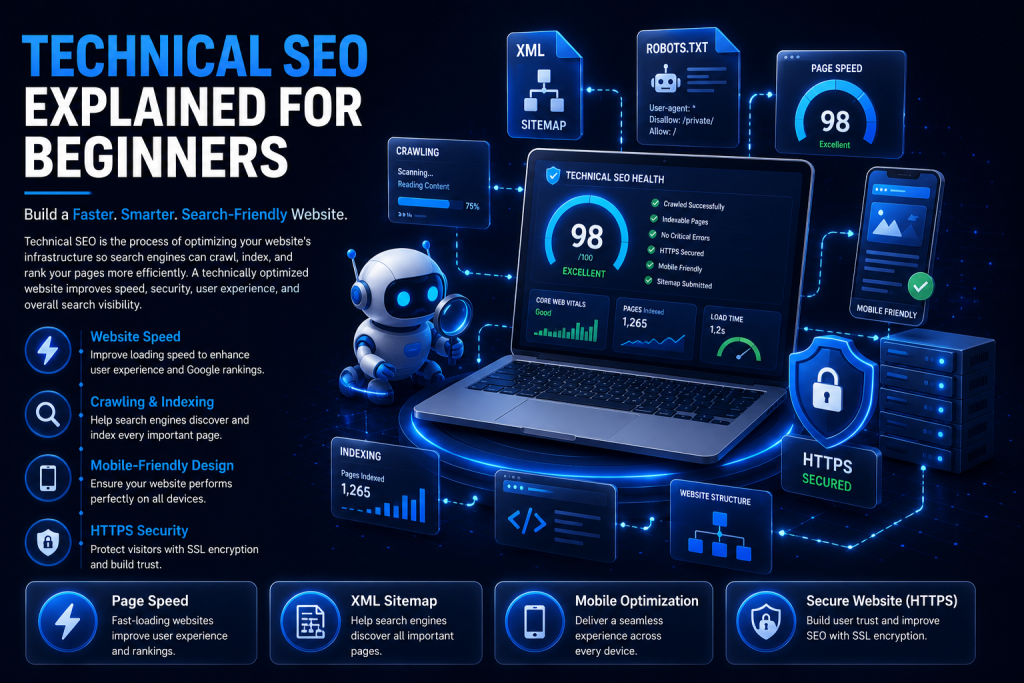
Technical SEO Explained for Beginners: A Complete Guide

Introduction Technical SEO can sound intimidating, especially if you’re new to digital marketing. But at its core, it’s simply about making sure search engines can find, understand, and trust your website. Technical SEO is the practice of optimizing your website’s infrastructure — things like speed, security, and site structure — so search engines can crawl, index, and rank your pages effectively. Without a solid technical foundation, even the best content can struggle to appear in search results. Technical SEO directly affects how easily Google discovers your pages, stores them in its index, and decides where they belong in search rankings. In this beginner-friendly guide, you’ll learn exactly how search engines work and walk through 20 essential technical SEO elements, common mistakes to avoid, and a complete checklist to get started today. Table of Contents What is Technical SEO? Why Technical SEO Matters How Search Engines Work Key Elements of Technical SEO Common Technical SEO Mistakes Technical SEO Checklist Best Technical SEO Tools How to Measure Technical SEO Performance Pro Tips for Beginners Frequently Asked Questions Conclusion What is Technical SEO? Technical SEO refers to all the behind-the-scenes optimizations that help search engines access, understand, and rank your website. Unlike content or backlinks, technical SEO focuses on your site’s infrastructure — how it’s built, how fast it loads, and how easily it can be crawled. Think of it as the foundation of a house. Great content and backlinks are the walls and decoration, but without a solid technical foundation, everything else becomes unstable. Why Technical SEO Matters Even the most well-written, valuable content won’t rank if search engines can’t crawl or index it properly. Technical SEO ensures nothing stands in the way between your content and the search results page. It also directly affects user experience — a fast, secure, mobile-friendly website keeps visitors engaged, which Google rewards with better rankings over time. How Search Engines Work Understanding these three steps makes every other technical SEO concept easier to grasp: Crawling Search engines use automated bots, called crawlers or spiders, to discover pages by following links from one page to another across the web. Indexing Once a page is crawled, search engines analyze and store it in a massive database called the index. Only indexed pages are eligible to appear in search results. Ranking When someone searches, the search engine scans its index and ranks the most relevant, trustworthy pages at the top based on hundreds of signals. Key Elements of Technical SEO These 20 elements form the core of a technically healthy, search-friendly website. Work through them one at a time, starting with whichever feels most urgent for your site. 1. Website Crawling Crawling is how search engine bots, like Googlebot, discover pages by following links across the web. If bots can’t crawl your pages, they can’t rank them at all. Best practice: keep your site structure simple and link pages logically. Example: a new blog post gets crawled faster when it’s linked from your homepage. Mistake: orphan pages with no internal links pointing to them. Tip: submit an XML sitemap to help bots find new pages faster. 2. Website Indexing Indexing is when Google stores and organizes crawled pages in its database, making them eligible to appear in search results. A page can be crawled but still not indexed. Best practice: check indexing status regularly in Google Search Console. Example: use the URL Inspection tool to see if a specific page is indexed. Mistake: accidentally leaving a “noindex” tag on important pages. Tip: request indexing manually right after publishing new pages. 3. XML Sitemap An XML sitemap is a file listing all the important pages on your website, helping search engines find and understand your site structure. It speeds up discovery, especially for large or newer sites. Best practice: keep it updated automatically and submit it to Search Console. Example: yoursite.com/sitemap.xml. Mistake: including broken or non-indexable pages in the sitemap. Tip: most CMS platforms and SEO plugins generate sitemaps automatically. 4. Robots.txt File A robots.txt file tells search engine bots which pages or sections they’re allowed or not allowed to crawl. It helps you control crawl budget and keep sensitive pages out of search results. Best practice: only block pages that truly shouldn’t be crawled. Example: blocking /admin/ or /cart/ pages. Mistake: accidentally blocking your entire site with “Disallow: /”. Tip: always test your robots.txt file with Search Console’s tester tool. 5. SEO-Friendly URL Structure Clean, descriptive URLs help both users and search engines understand what a page is about. Simple URLs are easier to crawl, share, and rank. Best practice: use short, keyword-rich, lowercase URLs with hyphens. Example: /technical-seo-for-beginners works better than /page?id=284. Mistake: long URLs full of random numbers and parameters. Tip: avoid changing URLs after publishing; if you must, use a 301 redirect. 6. HTTPS Security HTTPS encrypts data between your website and its visitors, protecting sensitive information like passwords and payment details. It’s a confirmed Google ranking factor and builds visitor trust. Best practice: install an SSL certificate and redirect all HTTP traffic to HTTPS. Example: the padlock icon shown in the browser address bar. Mistake: mixed content errors where some resources still load over HTTP. Tip: most hosting providers now offer free SSL certificates. 7. Mobile-Friendly Website A mobile-friendly website adapts its layout and content for smaller screens automatically. Google uses mobile-first indexing, meaning it primarily evaluates your mobile version. Best practice: use responsive design that adjusts to any screen size. Example: text that resizes properly and buttons big enough to tap easily. Mistake: content that requires zooming or horizontal scrolling. Tip: test your site with Google’s Mobile-Friendly Test tool. 8. Page Speed Optimization Page speed measures how quickly your website loads for visitors on any device. Slow pages frustrate users and directly hurt your rankings. Best practice: compress images, enable browser caching, and minimize unnecessary code. Example: a page that loads in under 2 seconds keeps visitors engaged and reduces bounce rate. Mistake: ignoring speed until traffic and conversions start dropping. Tip:

SEO

Off-Page SEO Strategies That Actually Work

Introoduction If On-Page SEO is about perfecting your own website, Off-Page SEO is about building your reputation everywhere else. It’s what tells Google — and the rest of the internet — that your website is trustworthy, authoritative, and worth ranking higher. On-Page SEO covers elements you control directly, like content and meta tags. Off-Page SEO, on the other hand, happens outside your website: backlinks, brand mentions, social signals, and digital PR all play a role. Both work together, but off-page signals are what convince Google your site deserves long-term trust. Without a strong off-page strategy, even the best-written content can struggle to rank against competitors with stronger authority. In this guide, you’ll learn 20 proven off-page SEO strategies that actually work in today’s search landscape, along with the tactics to avoid and how to measure your progress. Table of Contents What is Off-Page SEO? Why Off-Page SEO Matters Benefits of Off-Page SEO Proven Off-Page SEO Strategies That Actually Work Off-Page SEO Techniques to Avoid White Hat vs Black Hat Off-Page SEO Best Tools for Off-Page SEO How to Measure Off-Page SEO Success Pro Tips for Long-Term SEO Success Off-Page SEO Checklist (Summary Table) Frequently Asked Questions Conclusion What is Off-Page SEO? Off-Page SEO refers to all the actions taken outside your own website that influence your search engine rankings. This includes earning backlinks from other websites, getting mentioned in the media, building a presence on social platforms, and managing your overall online reputation. While On-Page SEO tells Google what your page is about, Off-Page SEO tells Google how trustworthy and authoritative your website is in the eyes of the wider internet. Why Off-Page SEO Matters Google’s algorithm relies heavily on external validation to determine which websites deserve top rankings. A page with perfect on-page optimization but zero backlinks or brand presence will almost always struggle to outrank a well-linked competitor. Off-Page SEO builds the trust, authority, and visibility that on-page efforts alone simply can’t achieve — and it compounds over time, making it one of the most valuable long-term investments in digital marketing Benefits of Off-Page SEO Higher search engine rankings for competitive keywords Increased domain authority and overall site credibility Better brand trust and recognition in your industry More referral traffic from high-quality external sources Faster indexing of new content by search engines Improved online visibility across search, social, and news Proven Off-Page SEO Strategies That Actually Work These 20 strategies form a complete, white-hat off-page SEO playbook. Focus on the ones that fit your industry and resources, and build outward from there. 1. Build High-Quality Backlinks Backlinks from authoritative, relevant websites remain the strongest off-page ranking signal — Google treats each quality link as a vote of confidence in your content. Links from trusted domains pass authority and signal expertise. Best practice: prioritize relevance and domain authority over raw link volume. Example: a fitness blog earning one link from a well-known health publication carries more weight than ten links from random directories. Mistake: chasing quantity over quality. Tip: create genuinely link-worthy content like original research or unique data. 2. Guest Blogging Write valuable articles for reputable websites in your niche in exchange for a backlink and exposure to a new audience. It builds authority, referral traffic, and relationships with other publishers. Best practice: pitch sites with real, engaged audiences, not link farms. Example: a SaaS company guest posting on an established marketing blog to reach potential customers. Mistake: mass-pitching low-quality or irrelevant sites. Tip: focus on 2–3 high-quality guest posts a month instead of dozens of weak ones. 3. Digital PR Campaigns Digital PR combines traditional PR with SEO to earn coverage, mentions, and backlinks from news sites and industry publications. Media coverage brings high-authority links and brand credibility at scale. Best practice: pitch newsworthy stories, original research, or data studies to journalists. Example: releasing an industry survey that gets picked up by multiple news outlets. Mistake: pitching generic promotional content instead of real stories. Tip: build relationships with journalists before you actually need coverage. 4. Broken Link Building Find broken (dead) links on other websites and suggest your own relevant content as a replacement. You’re helping webmasters fix a real issue while earning a natural, relevant backlink. Best practice: use tools like Ahrefs or Check My Links to find broken links in your niche. Example: finding a dead resource link on a university page and offering your updated guide instead. Mistake: suggesting irrelevant replacement content. Tip: personalize every single outreach email. 5. Brand Mentions Not every online mention of your brand includes a link, but unlinked mentions still build authority and can often be converted into backlinks. Google increasingly treats brand mentions as a trust signal, even without a hyperlink. Best practice: monitor mentions with Google Alerts or Mention.com. Example: reaching out to a blog that mentioned your product name and asking them to add a link. Mistake: ignoring unlinked mentions entirely. Tip: always follow up politely and explain why the link would help their readers too. 6. Social Media Promotion Sharing content on social platforms doesn’t directly boost rankings, but it increases visibility, traffic, and the chances of earning natural backlinks. More eyeballs on your content mean more opportunities for others to discover and link to it. Best practice: tailor content format to each platform. Example: turning a blog post into a LinkedIn carousel to reach a professional audience. Mistake: posting identical content everywhere without adapting it. Tip: engage with comments to extend reach further. 7. Content Marketing Consistently publishing valuable, shareable content — blog posts, guides, videos — naturally attracts backlinks and mentions over time. Great content is the foundation that makes every other off-page tactic easier. Best practice: create “linkable assets” like original studies, templates, or free tools. Example: a free ROI calculator that other sites link to as a resource. Mistake: publishing content with no promotion plan behind it. Tip: repurpose one core piece of content into multiple formats. 8. Influencer Outreach Partner with niche influencers to review, mention, or share your

SEO

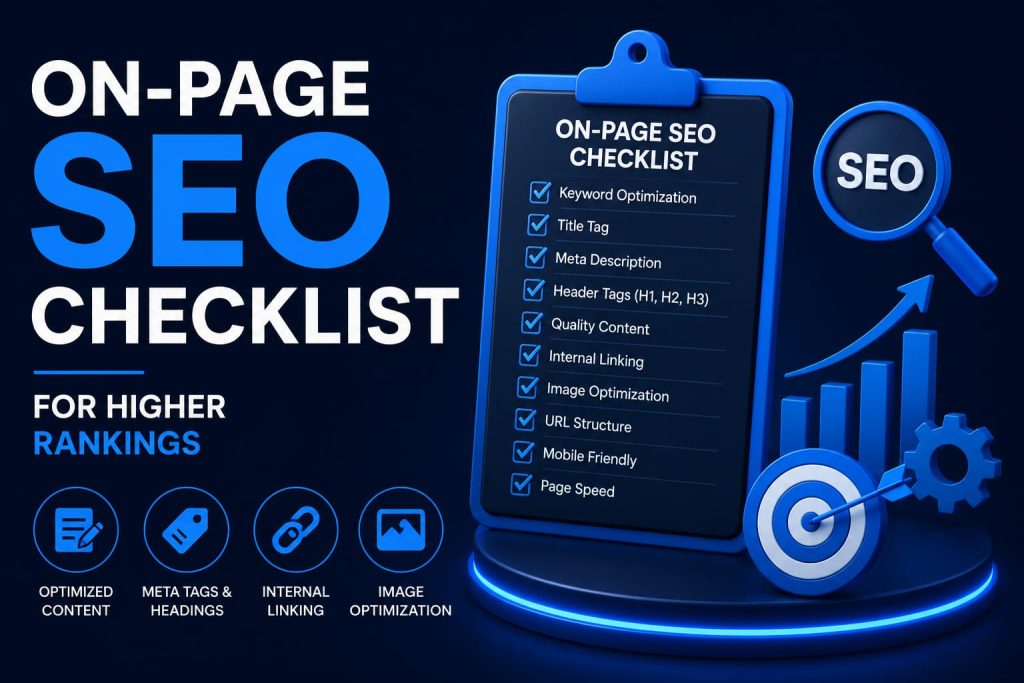
On-Page SEO Checklist for Higher Rankings

Introduction If you want your website to rank higher on Google, on-page SEO is where it starts. It’s the foundation that tells search engines exactly what your page is about — and tells visitors why they should stay. On-page SEO refers to every optimization you make directly on your website: your content, titles, headings, images, links, and site structure. Unlike off-page SEO, which depends on external factors like backlinks, on-page SEO is entirely within your control. Google’s algorithm has grown smarter every year, but one thing hasn’t changed — it still rewards websites that deliver quality content and a great user experience. A well-optimized page loads fast, answers the searcher’s question clearly, and is easy to navigate on any device. In this guide, you’ll get a complete, practical on-page SEO checklist covering all 30 essential factors. Whether you run a small business, a blog, or an e-commerce store, you can start applying these steps today and watch your organic traffic grow. Table of Contentsle What is On-Page SEO? Why On-Page SEO is Important Complete On-Page SEO Checklist (30 Points) Common On-Page SEO Mistakes Recommended SEO Tools Pro Tips for Better Rankings On-Page SEO Checklist Summary Table Frequently Asked Questions Conclusion What is On-Page SEO? On-page SEO (also called on-site SEO) is the practice of optimizing individual web pages so they rank higher and earn more relevant organic traffic. It covers both the content itself — words, images, and structure — and the underlying HTML code, such as title tags and headings. Think of it as making your website as easy as possible for Google to read and for humans to enjoy. Every checklist item in this article, from keyword placement to page speed, falls under the umbrella of on-page SEO. Why On-Page SEO is Important Search engines use hundreds of ranking signals, but many of the most important ones live directly on your page. Getting on-page SEO right gives you: Higher visibility on Google search results pages More qualified organic traffic that’s actually looking for what you offer Better user experience, which keeps visitors on your site longer Higher conversion rates because content matches search intent Long-term, sustainable results compared to paid ads Stronger trust and authority in your niche or industry Google has repeatedly confirmed that quality content and positive user experience are central to how it ranks pages. Ignoring on-page SEO means leaving rankings — and revenue — on the table. Complete On-Page SEO Checklist Here is the complete, actionable on-page SEO checklist. Work through each point for every important page on your website. 1. Keyword Research Start by identifying words your audience actually searches for. Use Google Keyword Planner or Ahrefs to find keywords with good search volume and low competition. Focus on one primary keyword and a few secondary keywords per page. Common mistake: targeting keywords that are too broad or too competitive. Pro tip: choose long-tail keywords for quicker rankings. 2. Search Intent Match your content to what searchers actually want — informational, navigational, commercial, or transactional. Google ranks pages that satisfy intent, not just keyword matches. For example, “buy running shoes” needs a product page, not a blog post. Mistake: writing blog content for a purchase-intent keyword. Tip: study the top 10 ranking results before you start writing. 3. SEO-Friendly URL Keep URLs short, descriptive, and keyword-rich. A URL like digidiksha.com/on-page-seo-checklist works far better than one filled with random numbers or dates. Mistake: using long URLs with stop words and unnecessary parameters. Tip: separate words with hyphens, not underscores, and keep the focus keyword close to the domain. 4. Optimized Title Tag Your title tag is the first thing users and Google see in search results. Keep it under 60 characters, include your focus keyword near the beginning, and make it click-worthy. Mistake: stuffing keywords or writing vague, generic titles. Tip: add power words like “Complete,” “Proven,” or the current year to boost clicks. 5. Engaging Meta Description Write a 150–160 character summary that encourages people to click. It doesn’t directly boost rankings, but it strongly improves click-through rate, which indirectly helps SEO. Mistake: leaving it blank and letting Google auto-generate one. Tip: include your primary keyword and a clear benefit or call-to-action. 6. Proper Heading Structure (H1–H6) Use one H1 per page, followed by a logical H2 to H6 hierarchy. Headings help readers scan your content quickly and help Google understand how your page is structured. Mistake: skipping heading levels or using multiple H1 tags. Tip: work your keyword and its variations naturally into your H2 subheadings. 7. High-Quality Content Write original, in-depth, well-researched content that fully answers the searcher’s question. Google rewards content that demonstrates real experience and expertise, often called E-E-A-T. Mistake: thin, duplicate, or generic AI-sounding content. Tip: add real examples, data, screenshots, and personal insights to stand out. 8. Keyword Placement Place your focus keyword in the title, the first 100 words, at least one H2, the URL, and the meta description. Keep overall keyword density around 1–1.5% of total word count. Mistake: keyword stuffing that damages readability and can trigger penalties. Tip: use natural keyword variations and synonyms instead of repeating the exact phrase. 9. Image Optimization Compress every image before uploading, use descriptive file names such as on-page-seo-checklist.jpg, and choose modern formats like WebP. Mistake: uploading large, unoptimized images that slow down your page. Tip: use free tools like TinyPNG or Squoosh before publishing any image. 10. Image Alt Text Add descriptive alt text to every image for accessibility and image search visibility. For example, “on-page SEO checklist infographic” is far more useful than “image1.jpg.” Mistake: leaving alt text blank or stuffing it with keywords. Tip: describe the image naturally and include the keyword only when it truly fits. 11. Internal Linking Link to other relevant pages on your own website to help visitors navigate and to spread authority across your site. For example, link this article to your SEO services page. Mistake: too few internal links or vague anchor text like “click here.” Tip: use

SEO

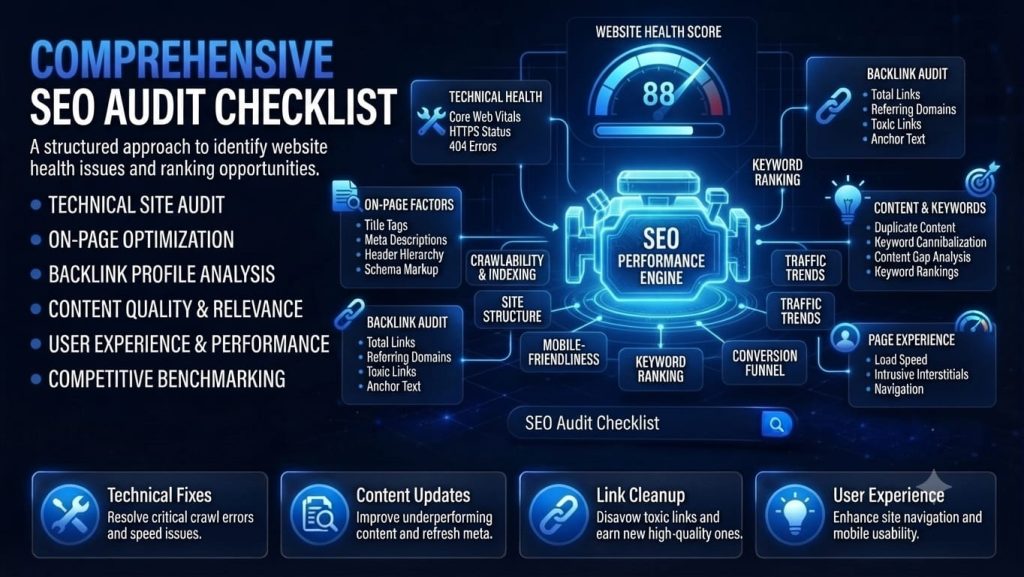
The Ultimate SEO Audit Checklist for Every Website

Introduction If your traffic has plateaued, your rankings have slipped, or you simply haven’t checked your site’s health in a while, a full SEO audit is the fastest way to find out what’s holding you back. Search engines evaluate hundreds of signals, but most ranking problems trace back to a small set of recurring issues: crawlability, page experience, content quality, and authority. This checklist walks through each of those areas in the order you should actually check them, so you can fix high-impact problems first and avoid wasting time on cosmetic ones. 1. Technical SEO Foundations Technical issues are worth auditing first because they can block search engines from crawling or indexing your site at all — no amount of great content will help if Google can’t reach it. •      Confirm your site is indexed: search “site:yourdomain.com” and compare results            to your actual page count.•      Check robots.txt for accidental disallow rules blocking important sections.•      Submit and review your XML sitemap in Google Search Console for errors.•      Audit crawl stats in Search Console for spikes in errors or drops in crawl rate.•      Find and fix broken internal links (404s) and redirect chains.•      Verify canonical tags point to the correct preferred URL on every page.•      Check for duplicate content across parameterized or staging URLs.•      Confirm HTTPS is enforced sitewide with no mixed-content warnings. 2. Site Speed & Core Web Vitals Page experience signals directly influence rankings, and slow sites lose visitors before they ever see your content. •      Run Largest Contentful Paint (LCP), Interaction to Next Paint (INP), and                          Cumulative Layout Shift (CLS) checks via PageSpeed Insights.•      Compress and lazy-load images below the fold.•      Minify CSS and JavaScript, and defer non-critical scripts.•      Enable browser caching and a content delivery network (CDN) for global visitors.•      Test mobile load times separately from desktop — mobile-first indexing means           mobile speed matters most. 3. Mobile Usability Google indexes and ranks the mobile version of your site by default, so mobile issues carry outsized weight. •      Run the Mobile-Friendly Test on key templates (homepage, category,                            product/post).•      Check tap targets, font sizes, and viewport configuration.•      Ensure pop-ups and interstitials don’t block content on mobile.•      Test navigation and forms on an actual phone, not just a browser resize. 4. On-Page SEO Once the technical layer is solid, review whether each page is optimized to match search intent and earn the click. •      Audit title tags and meta descriptions for length, uniqueness, and keyword                    relevance.•      Confirm each page has one clear H1 and a logical heading hierarchy (H2s, H3s).•      Check keyword targeting against actual search intent — informational,                          transactional, or navigational.•      Review internal linking: are important pages easy to reach in 2–3 clicks?•      Optimize image alt text and file names for accessibility and image search.•      Add or refresh schema markup (articles, products, FAQs, reviews) where relevant. 5. Content Quality & Relevance Search engines increasingly reward content that demonstrates real experience and depth, not just keyword coverage. •      Identify thin or outdated pages that no longer answer the query well.•      Look for cannibalization — multiple pages competing for the same keyword.•      Check that top pages are comprehensive relative to top-ranking competitors.•      Update publish dates and statistics on evergreen posts at least annually.•      Ensure content demonstrates first-hand experience, not just generic summary. 6. Off-Page Signals & Authority Backlinks and brand mentions remain a strong trust signal, so review them as part of every full audit. •      Review your backlink profile in Search Console or a third-party tool for toxic or              spammy links.•      Compare referring domain growth against competitors in your niche.•      Check for unlinked brand mentions you could convert into links.•      Confirm your Google Business Profile and directory listings are accurate, if local           SEO matters. 7. Analytics & Reporting Setup An audit is only useful if you can measure whether the fixes actually worked. •      Confirm Google Analytics and Search Console are correctly installed and verified.•      Set up rank tracking for your priority keywords.•      Create a baseline report of traffic, rankings, and conversions before                                implementing fixes.•      Schedule a follow-up audit in 60–90 days to measure impact. Frequently Asked Questions 1. What is an SEO audit? An SEO audit is a comprehensive evaluation of your website’s search engine optimization performance. It helps identify technical issues, on-page SEO errors, content gaps, backlink problems, and user experience improvements that may affect your rankings on Google. Performing regular SEO audits ensures your website remains optimized for search engines and users. 2. Why is an SEO audit important? An SEO audit is important because it helps uncover issues that can prevent your website from ranking well in search results. It improves website performance, enhances user experience, increases organic traffic, fixes technical errors, and ensures your site follows Google’s latest SEO best practices. 3. How often should I perform an SEO audit? Most websites should perform a complete SEO audit every 3 to 6 months. However, websites that publish content frequently, run SEO campaigns, or experience significant traffic changes should consider conducting audits monthly to maintain optimal performance. 4. What should be included in an SEO audit checklist? A complete SEO audit checklist should include: Website crawlability Indexing status Core Web Vitals Mobile-friendliness Page speed Keyword optimization Meta titles and descriptions Heading structure Internal linking Image optimization Backlink profile Broken links XML sitemap Robots.txt HTTPS security Structured data (Schema Markup) 5. Which tools are best for performing an SEO audit? Some of the best SEO audit tools include: Google Search Console Google Analytics 4 (GA4) Google PageSpeed Insights Screaming Frog SEO Spider Ahrefs SEMrush GTmetrix Bing Webmaster

Google Ads

How to Rank on Google’s First Page

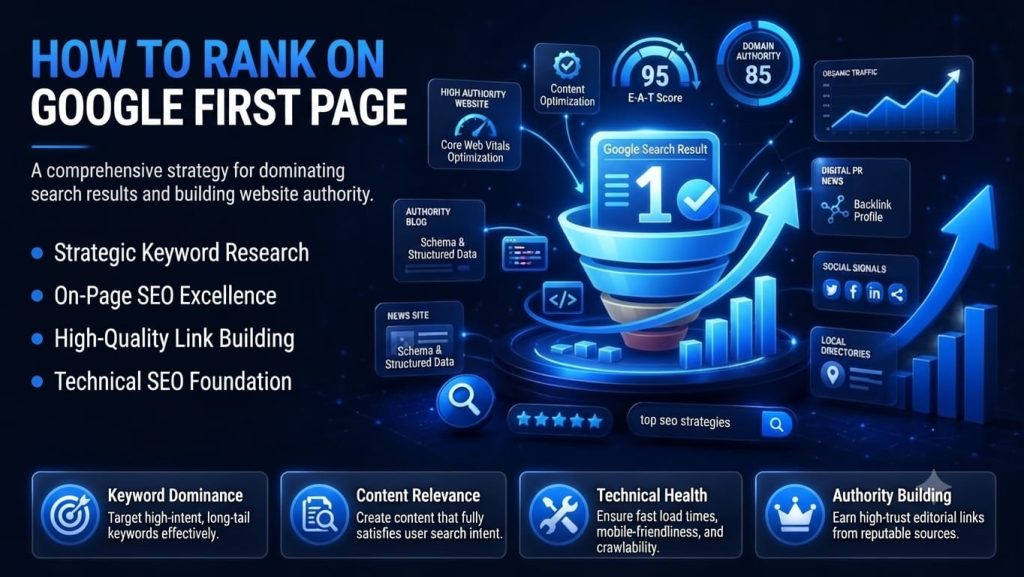
Introduction If your business website is not on Google’s first page, it is effectively invisible to the vast majority of potential customers. Research consistently shows that over 90% of clicks go to results on the first page of Google, and more than half of all clicks go to the top three results alone. Being buried on page two or beyond is, for most businesses, the same as not being ranked at all. Understanding how to rank your website on Google’s first page is one of the most valuable skills any business owner, marketer, or entrepreneur can develop in 2026. Unlike paid advertising, which stops generating traffic the moment you stop spending, SEO builds long-term organic visibility that compounds over time. A single high-ranking page can drive qualified traffic, leads, and sales for years with minimal ongoing cost. In this complete SEO guide, you will learn exactly how Google ranks websites, a step-by-step strategy covering keyword research, high-quality content creation, on-page and technical SEO, backlink building, user experience, and AI Overview optimization. You will also discover the most common mistakes that prevent rankings and the tools and trends shaping SEO in 2026. By the end of this guide, you will have a clear roadmap to sustainable first-page rankings. Why Google’s First Page Matters The data on user behaviour and click-through rates tells a compelling story. Studies consistently show that the first organic result on Google receives approximately 28-30% of all clicks for a given query. Position 2 earns around 15%, position 3 about 11%, and the figures fall off sharply from there. By the time a user reaches page two, the click-through rate drops below 1%. Benefits of First-Page Rankings •       Massive increase in organic traffic: Moving from position 10 to position 3 can multiply your organic clicks by five to ten times for the same keyword.•       Qualified leads with high purchase intent: People searching on Google are actively looking for a solution — organic traffic converts at two to three times the rate of social media traffic on average.•       Compounding returns: Unlike paid ads, a page that reaches the first page keeps generating traffic without additional spend.•       Improved brand credibility: Ranking organically signals to users that Google considers your site a credible, authoritative source — something paid listings alone cannot replicate.•       Business growth opportunities: First-page visibility puts you in front of customers at the exact moment they are ready to research, compare, and buy. Organic vs Paid Traffic Paid search ads offer immediate visibility at the top of results, but require continuous budget to maintain. Organic SEO takes longer to show results but delivers sustainable traffic that does not switch off when the budget runs out. The most effective digital marketing strategies use both — paid ads for immediate traffic while SEO builds a long-term organic asset. How Google Ranks Websites Understanding Google’s ranking process helps you align your website with what the algorithm values. Here is a simplified step-by-step explanation: 1.    Crawling: Google sends automated bots called Googlebots to discover new and           updated web pages by following links across the internet.2.    Indexing: Pages that are successfully crawled are stored in Google’s index — a             massive database of web content that search results are drawn from.3.    Ranking: When a user searches, Google analyses its index and ranks pages based         on hundreds of signals to determine which results will be most useful.4.    Search Intent: Google determines the primary intent behind each query —                   informational, navigational, commercial, or transactional — and ranks content               that best matches that intent.5.    E-E-A-T: Google assesses Experience, Expertise, Authoritativeness, and                           Trustworthiness of content and its creator. Pages demonstrating genuine E-E-A-T          rank more reliably.6.    Helpful Content System: Google’s algorithm actively rewards content created              primarily to help people, and demotes content created primarily to rank or game          the algorithm.7.    AI Overview: Google’s AI-generated summaries now appear above organic                 results for many queries, making it important to structure content so it can be               cited within these overviews.8.    Core Web Vitals: Google uses page experience signals — Largest Contentful               Paint , Interaction to Next Paint, and Cumulative Layout Shift — as ranking                     factors, making technical performance critical Step-by-Step Guide to Rank Your Website on Google’s First Page Step 1: Perform Keyword Research Keyword research is the foundation of every effective SEO strategy. It reveals exactly what your target audience is searching for, how competitive those searches are, and which terms are most likely to drive qualified traffic to your site. Types of Keywords Short-tail keywords: Broad, high-volume terms like “SEO” or “digital marketing.” Extremely competitive and difficult to rank for as a new or small website. Long-tail keywords: Specific, lower-volume phrases like “how to do local SEO for a small restaurant.” Easier to rank for and often higher purchase intent. Search intent: Always match your content to the intent behind the keyword — informational, navigational, commercial, or transactional. Keyword difficulty: A score indicating how hard it is to rank for a keyword. Target low-to-medium difficulty keywords when building a new site’s authority. Search volume: The average monthly searches for a keyword. Balance volume against difficulty to find achievable targets with meaningful traffic potential. Recommended Keyword Research Tools Google Keyword Planner — Free; directly sourced from Google’s own search data Google Trends — Free; shows search volume trends over time Ahrefs — Comprehensive keyword explorer with accurate difficulty scores SEMrush — Keyword Magic Tool with competitive analysis features Ubersuggest — Beginner-friendly free tier with keyword suggestions and basic metrics Pro tip: Target 3-5 long-tail keyword variations per page rather than trying

Content Marketing

Content Marketing Strategies That Increase Website Traffic: The Ultimate Guide (2026)

Introduction Every business owner asks the same question at some point: how do you get more people to visit your website without spending a fortune on ads? The answer, for most brands that succeed online in 2026, is content marketing. Content marketing is the practice of creating and sharing valuable, relevant material such as blog posts, videos, guides, and infographics to attract, engage, and retain a clearly defined audience. Quality content matters more than ever this year because search engines, especially Google, now reward genuinely helpful information over thin, keyword-stuffed pages. With AI Overviews reshaping search results and audiences growing more selective about what they read, brands that publish consistent, trustworthy content win the long game. Content marketing strategies that increase website traffic don’t rely on quick tricks; they compound over months and years, turning a handful of well-optimized articles into a steady stream of visitors, leads, and customers. In this guide, you’ll learn what content marketing really means, why it drives sustainable traffic growth, the top 15 content marketing strategies that increase website traffic, common mistakes to avoid, the latest trends shaping the industry, and the tools professionals use to get results. What is Content Marketing? Content marketing is a strategic approach to creating and distributing valuable, relevant, and consistent content to attract and retain a clearly defined audience, ultimately driving profitable customer action. Unlike traditional advertising, which interrupts people with a sales pitch, content marketing earns attention by solving problems and answering questions first. This distinction matters because audiences today are skeptical of overt advertising but receptive to brands that genuinely help them. A billboard or a paid banner asks for attention; a well-written how-to guide or an in-depth comparison article gives value before asking for anything in return. That single shift, from interrupting to informing, is what allows content marketing to build lasting trust and authority. Over time, a business that consistently publishes helpful content becomes the go-to resource in its niche. When readers repeatedly find useful answers on your website, they begin to trust your brand’s expertise, and that trust naturally extends to your products and services. A Practical Example Imagine two competing accounting software companies. Company A only runs paid ads promoting its features. Company B publishes weekly blog posts on topics like “How Small Businesses Can Simplify Tax Filing” and “Common Bookkeeping Mistakes to Avoid.” Over a year, Company B’s articles start ranking on Google for dozens of relevant searches, bringing in thousands of free visitors every month, many of whom convert into paying customers because they already trust the brand’s expertise. Company A keeps paying for every single click. This is the compounding advantage of content marketing. Why Content Marketing is Important for Website Traffic Content marketing isn’t just a nice-to-have; it’s one of the most cost-effective ways to grow website traffic sustainably. Here’s why it matters so much for driving visitors to your site. •        Improves organic search rankings by consistently targeting keywords your                    audience is searching for•        Increases website visitors as more pages become discoverable through search              engines•        Builds brand awareness by putting your name in front of people at every stage              of their research•        Generates qualified leads by attracting people who are actively looking for                    solutions you offer•        Improves customer trust because helpful, accurate content signals genuine                    expertise•        Supports broader SEO efforts by creating natural opportunities for internal                    linking and keyword coverage•        Encourages social sharing, which extends your reach beyond your existing                    audience•        Delivers long-term ROI, since a single well-optimized article can attract traffic                for years Consider HubSpot, a company that built much of its early growth on free blog content and downloadable guides rather than paid advertising alone. By answering the exact questions its target audience was typing into Google, it turned its blog into one of the biggest traffic-generating assets of the entire business, a pattern now replicated by countless companies across industries. Top 15 Content Marketing Strategies That Increase Website Traffic Below are the 15 most effective content marketing strategies for driving consistent, long-term traffic growth. 1. Understand Your Target AudienceEvery successful content strategy starts with a clear picture of who you’re writing for. Audience research involves studying demographics, pain points, goals, and online behavior so you can create content that genuinely resonates.Building detailed buyer personas, fictional profiles representing your ideal customers, helps you make consistent decisions about topics, tone, and format. Just as important is understanding search intent: are readers looking to learn something, compare options, or make a purchase? Matching your content to that intent is what separates articles that rank from articles that don’t. 2. Perform Keyword ResearchKeyword research is the foundation of any content marketing strategy that increases website traffic. Short-tail keywords (like “content marketing”) are broad and highly competitive, while long-tail keywords (like “content marketing strategies for small businesses”) are more specific and easier to rank for.Understanding search intent, whether a searcher wants information, a comparison, or to make a purchase, ensures your content matches what people actually want. Keyword clustering, grouping related keywords under one comprehensive piece of content, helps you rank for dozens of variations with a single article. Tools like Google Keyword Planner and Ahrefs make it easy to uncover search volume, difficulty, and related terms. 3. Create High-Quality, Helpful ContentGoogle’s guidelines increasingly reward original, people-first content. This means your writing should reflect real experience, expertise, authoritativeness, and trustworthiness, commonly known as EEAT.Rather than rehashing what’s already ranking, aim to add a unique perspective, original research, or practical examples. The goal is always to solve a genuine problem or answer a real question your audience is asking, not simply to hit a word count.

Social Media Marketing

Social Media Marketing Tips for Small Businesses

Introduction In this complete guide to social media marketing tips for small businesses, you will learn exactly what social media marketing is, why it matters, nine key benefits, fifteen actionable strategies with step-by-step implementation, a platform comparison, common mistakes to avoid, the top trends shaping 2026, and the best tools to make your efforts more efficient and effective. Let us get started. Social media marketing is no longer optional for small businesses — it is one of the most powerful and cost-effective tools available to build a brand, connect with customers, and grow revenue in 2026. With over 5.4 billion active social media users worldwide, platforms like Instagram, Facebook, LinkedIn, and TikTok have become the primary places where people discover new brands, research products, and make purchase decisions. For small businesses, social media offers something that traditional advertising never could: the ability to compete directly with larger brands on a fraction of the budget. A well-executed social media strategy builds brand awareness, generates leads, drives website traffic, and creates the kind of genuine customer relationships that turn first-time buyers into loyal advocates. What is Social Media Marketing? In simple terms, it is any marketing activity your business does on platforms like Instagram, Facebook, LinkedIn, YouTube, TikTok, Pinterest, or X (formerly Twitter). This includes posting photos and videos, responding to comments, running ad campaigns, sharing blog articles, collaborating with influencers, and using analytics to refine your approach. Organic vs Paid Social Media Marketing •       Organic social media marketing involves creating and posting content without           paying for distribution. Your reach depends on your follower base, content                   quality, and platform algorithms. It is ideal for building long-term brand                       authority and  community. •       Paid social media marketing involves spending money to show your content               to a targeted audience beyond your existing followers. Platforms like Facebook              Ads and Instagram Ads allow highly precise targeting by location, age,                          interests, and behavior. The most effective small business social media strategies combine both — organic content builds trust and community while paid advertising drives immediate reach and conversions. Why Every Small Business Should Use Social Media •       It levels the playing field — a small local business can reach thousands of people           with great content•       It is where your customers already spend their time every single day•       It builds brand personality, trust, and loyalty over time•       It offers measurable, trackable results unlike traditional advertising•       It drives both online sales and offline foot traffic for local businesses Benefits of Social Media Marketing for Small Businesses •       Brand Awareness: Consistent posting and engagement exposes your brand to new audiences regularly. A local bakery that posts daily Stories of its products quickly becomes the go-to name in its neighborhood. •       Increased Website Traffic: Every post, bio link, and Story link sticker is an opportunity to send followers to your website, product pages, or blog. •       Lead Generation: Instagram Lead Ads, Facebook forms, and LinkedIn outreach allow businesses to collect qualified leads directly inside the platform. •       Customer Engagement: Polls, Q&As, comments, and DMs create two-way conversations that build genuine relationships between your brand and your customers. •       Cost-Effective Marketing: Organic social media is essentially free, and even paid ads can be launched with budgets as low as $5–$10 per day, making it accessible for any small business. •       Better Customer Relationships: Responding to comments and messages personally shows customers that a real person is behind the brand, building trust and loyalty. •       Higher Conversion Rates: Instagram Shopping tags and Facebook Shops allow customers to purchase directly from posts, reducing friction between discovery and purchase. •       Improved Brand Trust: A consistent, professional, and active social media presence signals credibility to potential customers who are researching before they buy. •       Measurable Results: Every platform provides analytics showing exactly how many people saw your content, clicked your links, or purchased from your store — allowing continuous data-driven improvement. Top 15 Social Media Marketing Tips for Small Businesses These fifteen strategies form the foundation of a complete social media marketing approach. Implement them consistently and you will see measurable growth in reach, engagement, and sales. Tip #1: Set Clear Marketing Goals Why it matters: Without clear goals, your social media activity becomes random and unmeasurable. Goals give your content strategy direction and allow you to measure what is actually working.How to implement it: Define SMART goals (Specific, Measurable, Achievable, Relevant, Time-bound). Examples include: gain 500 new Instagram followers in 90 days; generate 50 leads per month from LinkedIn; drive 1,000 website visits per month from Facebook.Example: A local gym sets a goal to increase class bookings by 30% over three months using Instagram Reels showcasing real member workouts.Pro tip: Review your goals monthly and adjust your content strategy based on which platforms and formats are actually moving the numbers. Tip #2: Understand Your Target Audience Why it matters: Creating content without knowing your audience is like speaking to an empty room. Deep audience understanding is what makes every post relevant, engaging, and worth the viewer’s time.How to implement it: Build a detailed buyer persona including age range, location, interests, pain points, preferred platforms, and peak online hours. Use Instagram Insights, Facebook Audience Insights, and Google Analytics to confirm your assumptions with real data.Example: A skincare brand discovers through Insights that 80% of its engaged audience is women aged 25-34 who follow wellness accounts, prompting a shift to clean beauty educational content.Pro tip: Survey your existing customers directly using Instagram Story polls or a simple email questionnaire. Real customers give you the most accurate audience data available. Tip #3: Choose the Right Social Media Platforms Why it matters: Being everywhere at once dilutes your effort and quality. Focus on the one or two platforms where

Email Marketing

Email Marketing Best Practices to Increase Sales

Introduction In a world overflowing with social media noise and paid ads, email marketing remains one of the most powerful, direct, and cost-effective channels available to businesses of any size. With an average return of $36 for every $1 spent, it consistently outperforms every other digital marketing channel on ROI — and in 2026, that is truer than ever. For small businesses, startups, and e-commerce brands, email marketing is not just about sending newsletters. When done right, it is a precision tool for building long-term customer relationships, driving repeat purchases, nurturing leads, and increasing sales without relying on expensive paid advertising. In this guide, you will discover the top 10 email marketing best practices that actually move the needle, the most common mistakes to avoid, the trends shaping the industry in 2026, and the best tools to get started. Whether you are brand new to email marketing or ready to take your campaigns to the next level, this guide is built for you. What is Email Marketing? Unlike social media posts that compete with thousands of other pieces of content in an algorithm-controlled feed, emails land directly in front of the recipient — on their terms. That direct, personal line of communication makes email one of the most powerful relationship-building tools in digital marketing. At its best, email marketing is not about blasting promotions at a cold list. It is about delivering the right message, to the right person, at exactly the right time — and doing that consistently is what builds the kind of customer loyalty that drives sustainable revenue growth. Why Email Marketing is Important for Increasing Sales Here is why investing in a strong email marketing strategy pays off directly at the bottom line:-                 •       High ROI: Email marketing delivers an average of $36 return for every                          $1 invested — the highest ROI of any marketing channel available.•                                 Direct customer communication: Your message goes straight to the                           inbox, bypassing algorithms and competitive noise entirely.                  •       Personalized marketing: Emails can be tailored to individual                                          preferences, behavior, and purchase history at scale.                  •       Customer retention: Regular, valuable communication keeps your                                 brand top-of-mind between purchases, reducing churn.                  •       Lead nurturing: Automated sequences guide potential customers                                  from initial interest through to their first purchase.                   •       Brand trust: Consistent, helpful emails position your business as a                                 credible, expert resource in your field.                   •       Increased website traffic: Every email is an opportunity to drive                                   clicks back to your site, product pages, or blog.                   •       Repeat purchases: Targeted post-purchase and loyalty emails                                       generate significantly more revenue from existing customers.  Example: An e-commerce clothing brand sends a personalized restock alert to customers who previously viewed a sold-out item. That single automated email generates a 28% conversion rate — outperforming any paid ad campaign in the same period. Top 10 Email Marketing Best Practices to Increase Sales 1. Build a Quality Email List The foundation of every successful email campaign is a clean, permission-based list of people who genuinely want to hear from you. Never purchase email lists — they damage your sender reputation, drive spam complaints, and deliver zero real ROI.Instead, build your list organically with these proven methods: •       Offer valuable lead magnets (free guides, templates, discount codes, or                          checklists) in exchange for an email address•       Add newsletter signup forms to your website’s homepage, blog posts, and                     checkout page•       Use exit-intent popups that trigger when a visitor is about to leave your site•                 Run social media campaigns that drive followers to a dedicated email signup               landing page 2. Segment Your Audience Sending the same email to your entire list is one of the fastest ways to drive up unsubscribes. Audience segmentation — dividing your list into targeted groups — allows you to send highly relevant messages that resonate and convert.Segment your list based on:•       Purchase history (what they bought and when)•       Browsing or engagement behavior (what pages they visited, what emails they               clicked)•       Demographics (age, location, job role)•       Stage in the customer journey (new lead, active customer, lapsed                                   buyer)Segmented campaigns generate 14% higher open rates and 101% higher           click rates than non-segmented campaigns, according to Mailchimp research. 3. Write Compelling Subject Lines Your subject line is the single most important factor determining whether your email gets opened or ignored. With the average person receiving 120+ emails per day, you have roughly 3 seconds to earn their attention.Examples of high-performing subject lines:•       “Your exclusive discount expires in 24 hours “•       “We noticed you left something behind…”•      

wpChatIcon
wpChatIcon
Scroll to Top